
Managing Account and Security Settings
Use My Account to review profile information, monitor current usage, update document retention, and manage password or two-factor authentication settings.
Open My Account
- Sign in to Systweak eSign.
- Open the user menu or dashboard quick action.
- Select Manage Account or My Account.
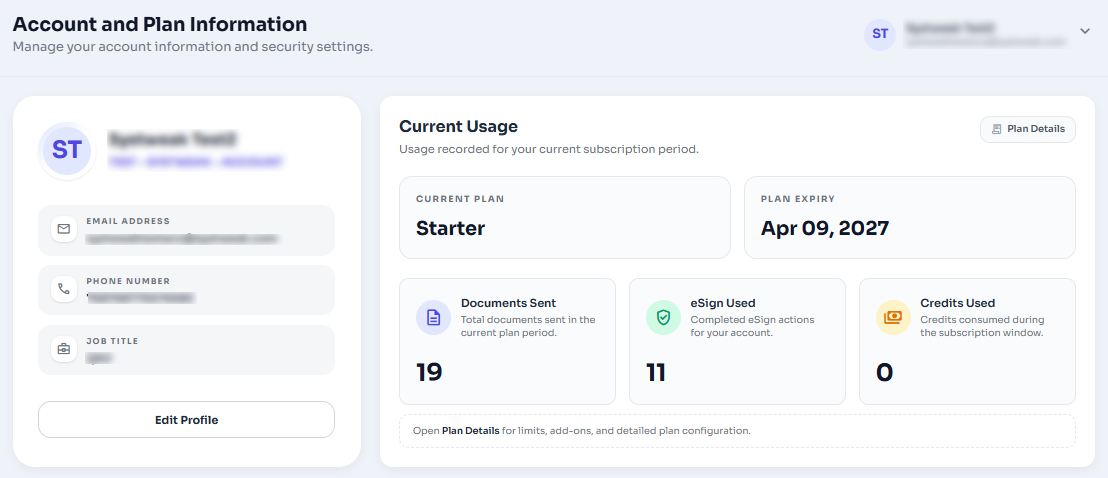
Figure 1: My Account page showing profile and current usage cards.
Edit Profile Information
The profile card shows your name, organization, email address, phone number, and job title. Click Edit Profile to update editable profile fields.
Configure Document Retention
Document retention controls how long signed and voided documents are kept. Review the selected values carefully before saving.
- Signed Documents: Choose how long completed documents remain available.
- Drafts/Voided Documents: Choose when drafts, declined, and recalled documents are permanently deleted.
- Click Save Settings after making changes.
Retention Warning
Documents are permanently deleted when the configured retention period ends. Download important documents before they reach the retention cutoff.
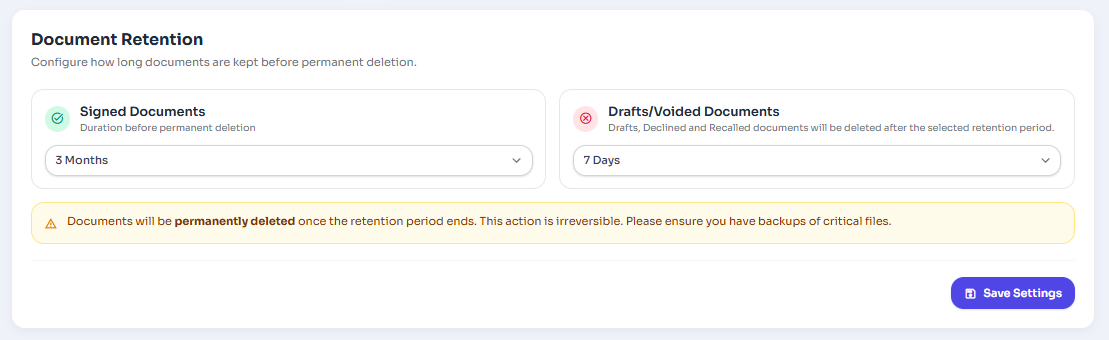
Figure 2: Document retention settings section with Save Settings button.
Manage Security
The security section lets you change your password and enable or disable two-factor authentication.
- Open My Account.
- Scroll to Security.
- Use Change Password to update your password.
- Use Enable 2FA or Disable 2FA based on your current security setup.
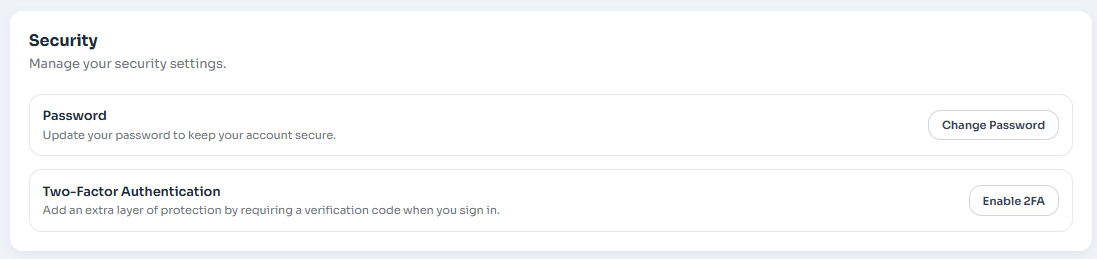
Figure 3: Manage Security.