
Reviewing Plan and Usage
Plan pages help you understand your active subscription, effective limits, current usage, add-ons, and organization-level adjustments.
Open Plan Details
- Open My Account.
- Review the Current Usage cards for documents, eSign usage, and credits.
- Click Plan Details to view limits, add-ons, and adjustments.
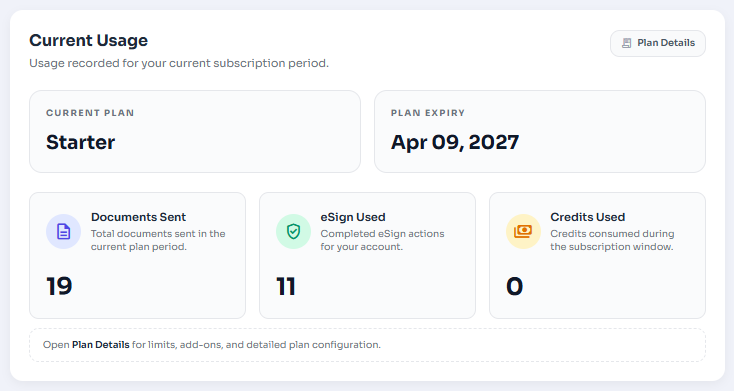
Figure 1: Current Usage card with Plan Details button.
Understand Effective Limits
Effective limits show the actual limit available to you after base plan rules, organization add-ons, and user or branch adjustments are applied.
- Base Plan: The default limit included with the subscription.
- Extra Benefit: A plan benefit added on top of the base limit.
- Org Add-ons: Purchased quota available to the organization.
- Adjusted: A user or branch-specific limit has been applied.
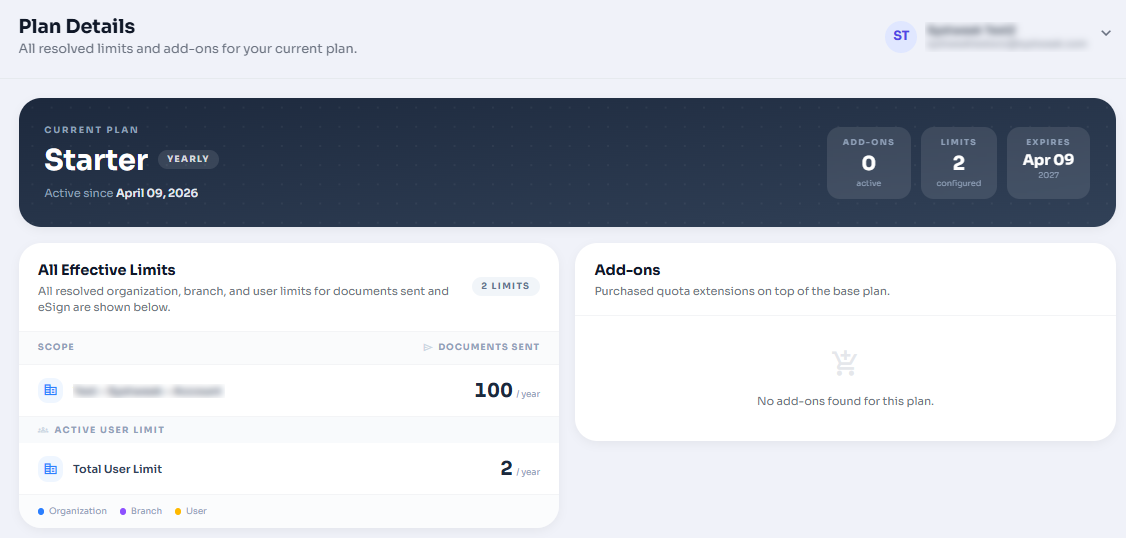
Figure 2: Plan Details effective limits and add-ons sections.
Check Add-ons
The add-ons section lists bonus quota purchases with feature name, bonus quantity, reset period, purchase date, expiry date, status, and notes.
Expired or Missing Plans
If no active plan is found or the current subscription is expired, contact your organization administrator or Systweak Support. You may still see the current active plan for reference.
Who Sees Full Plan Details?
Administrators can see broader organization plan details. Standard users usually see their own effective limits.